Timber slat fence
Adapt this example to your own subject.
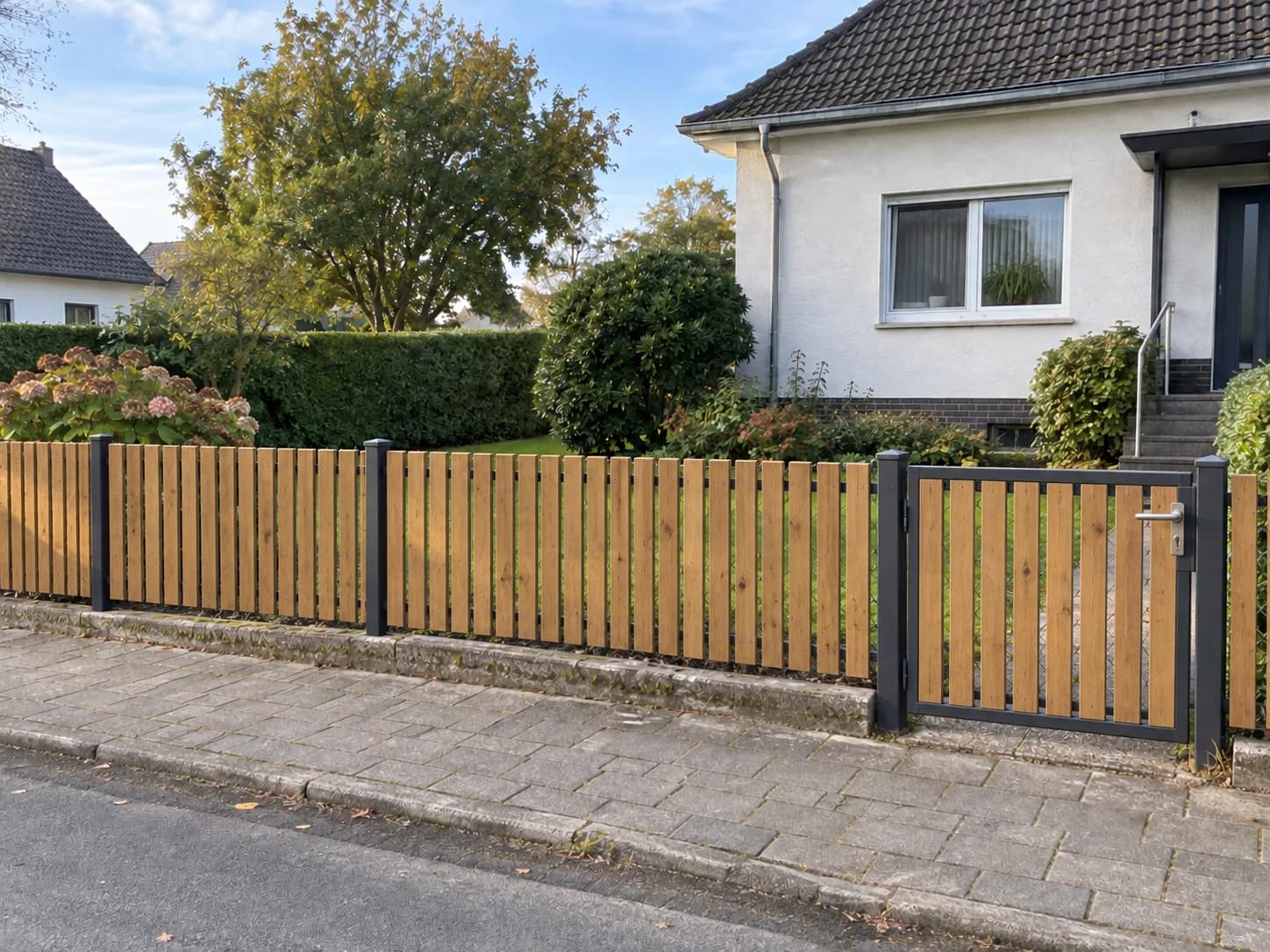
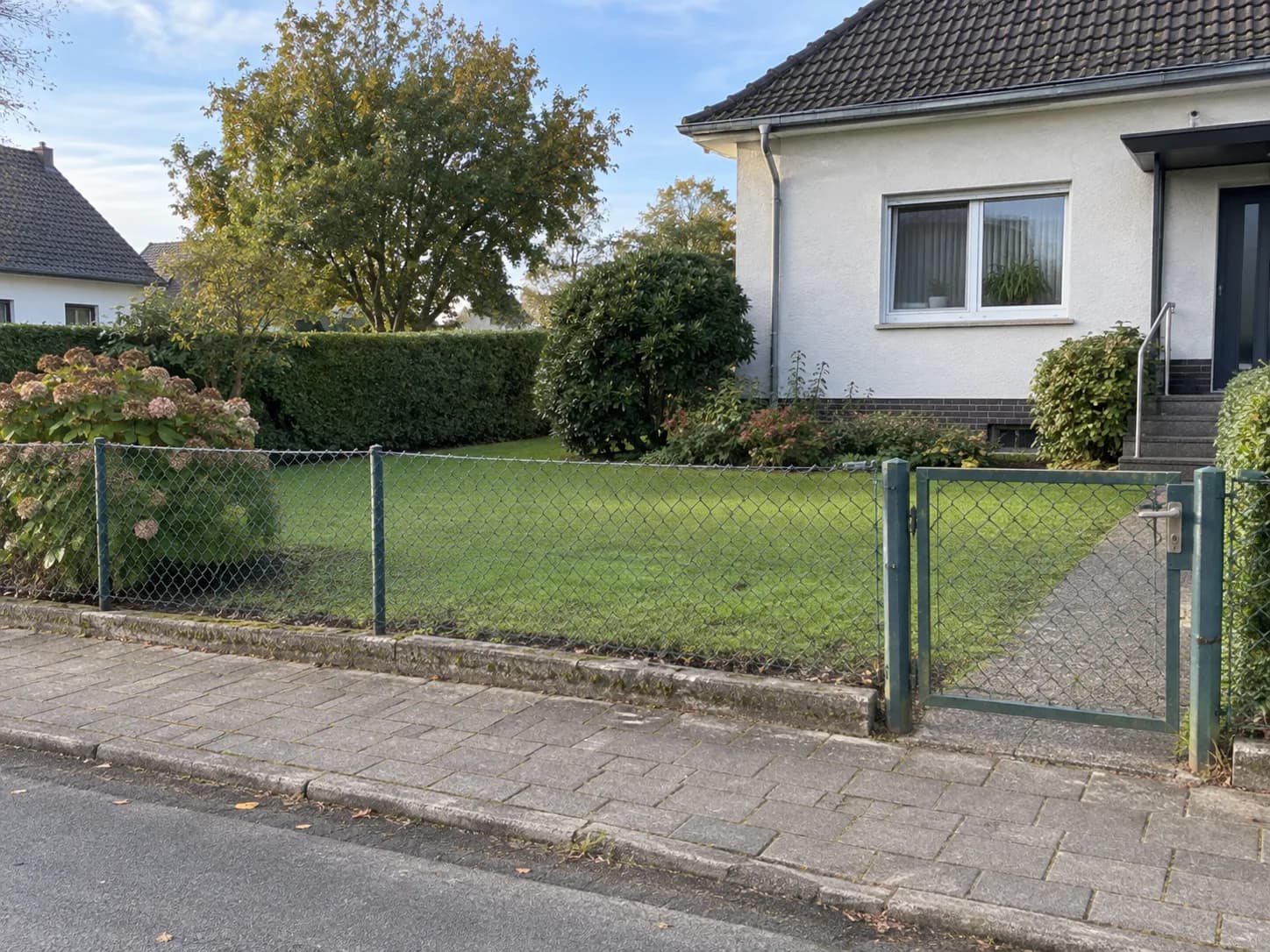
“Replace the existing fence with vertical timber slats and narrow gaps. Preserve the gate position, driveway, boundary line and perspective. Leave the house unchanged.”
Visualise the exterior realistically
Compare fence height, material, colour and openness directly along your property boundary.
Zunik AI
Upload your image and describe the change. You can review everything before creating it.
Choose an image or drop it here
JPG, PNG or WebP · up to 20 MB
3 free credits · no card required
Ideas for your image
Use a template as a starting point or describe freely what you want to change.
Adapt this example to your own subject.
“Replace the existing fence with vertical timber slats and narrow gaps. Preserve the gate position, driveway, boundary line and perspective. Leave the house unchanged.”
Clean lines and a contemporary look.
“Style: modern and clean. Apply the requested change in a practical, realistic way. Replace the green chain-link fence with a straight waist-high timber picket fence and matching gate. Keep the house, garden and boundary unchanged.”
Inviting colours and soft natural light.
“Style: warm and inviting. Use believable materials and soft natural light. Replace the green chain-link fence with a straight waist-high timber picket fence and matching gate. Keep the house, garden and boundary unchanged.”
How your Zun is made
Choose a well-lit photo taken from a clear perspective.
Use everyday language to explain how the result should look.
After sign-in, your image and prompt are prefilled. Review them and start when ready.
Use a photo showing the fence line, driveway and house clearly. Describe the material, colour and how open or private the fence should feel.
Compare how the colour and slat spacing suit your house. Check that the gate, driveway and fence line stay in place. Use the image to choose a style, then measure the height and spacing on site.
New accounts receive 3 free credits. Credit use depends on the selected function and quality and is shown before you start. See the pricing page for additional credits and subscriptions.